ochre
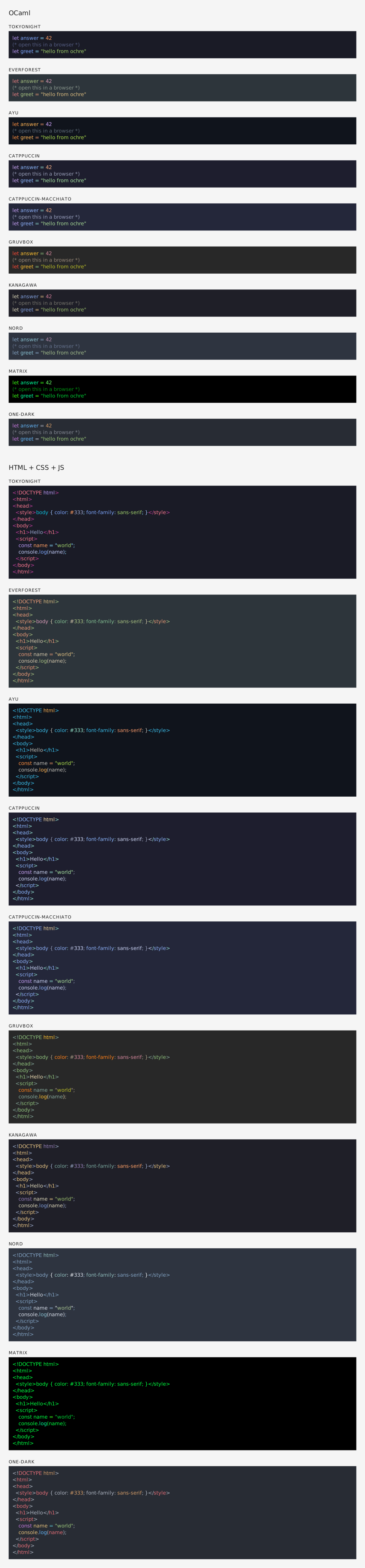
A syntax highlighter for OCaml using TextMate grammars and themes, inspired by Shiki.

A syntax highlighter for OCaml using TextMate grammars and themes, inspired by Shiki.
opam install ochre -ylet theme = Ochre.Theme.nord in
let highlighter = Ochre.load_from_files_exn ["path/to/ocaml.tmLanguage.json"] in
let html = Ochre.to_html highlighter ~theme ~lang:"ocaml" source_codetm-grammars provides a curated collection of TextMate grammars packaged for OCaml. It integrates cleanly with ochre, so you can use any grammar definitions without managing JSON grammar files manually.
Install the bundled grammar package:
opam install tm-grammars -y
Then load a grammar from OCaml and create a highlighter:
let theme = Ochre.Theme.nord in
let highlighter = Ochre.load_exn [ ("ocaml", Tm_grammars.ocaml) ] in
let html = Ochre.to_html highlighter ~theme ~lang:"ocaml" "let x = 42"ochre can render highlighted code to several output formats (also called backends):
<pre><code> blocks with inline styles or CSS classes. Supports multi-theme via CSS custom properties, line numbers, and configurable class prefixes. See rendered example.<svg> elements with monospace <text> and per-token <tspan> styling. Open preview: SVG rendered example. Source: .svg file.\textcolor commands inside an ochrehighlight environment. Requires the xcolor and soul packages. See rendered PDF (source: .tex file).All backends share the same interface: create a highlighter, pick a theme, and call the corresponding to_* function.
Set up the development environment:
make init
Build the project:
make build
Run the test suite:
make test
You can also preview highlighted output in a browser with make test-browser, which serves a sample on port 5000.